
How do I embed the FluidGrids workflow builder inside my own product?
FluidGrids lets you embed its visual workflow engine directly inside your SaaS application using a native React SDK—without iframes or external branding.
About this answer — Produced by our own assistant on 23 September 2026 from our published documentation. The pages it drew on are linked under the answer. It is generated text, not a statement from a person — where it and a linked page disagree, the page is right.
Answer
FluidGrids[1] lets you embed its visual workflow engine directly inside your SaaS application using a native React SDK—without iframes or external branding. Because the first-party FluidGrids application is built on this SDK, embedders receive the full canvas and capabilities.
According to the FluidGrids Embed SDK use case[2], the frontend SDK provides four integration tiers:
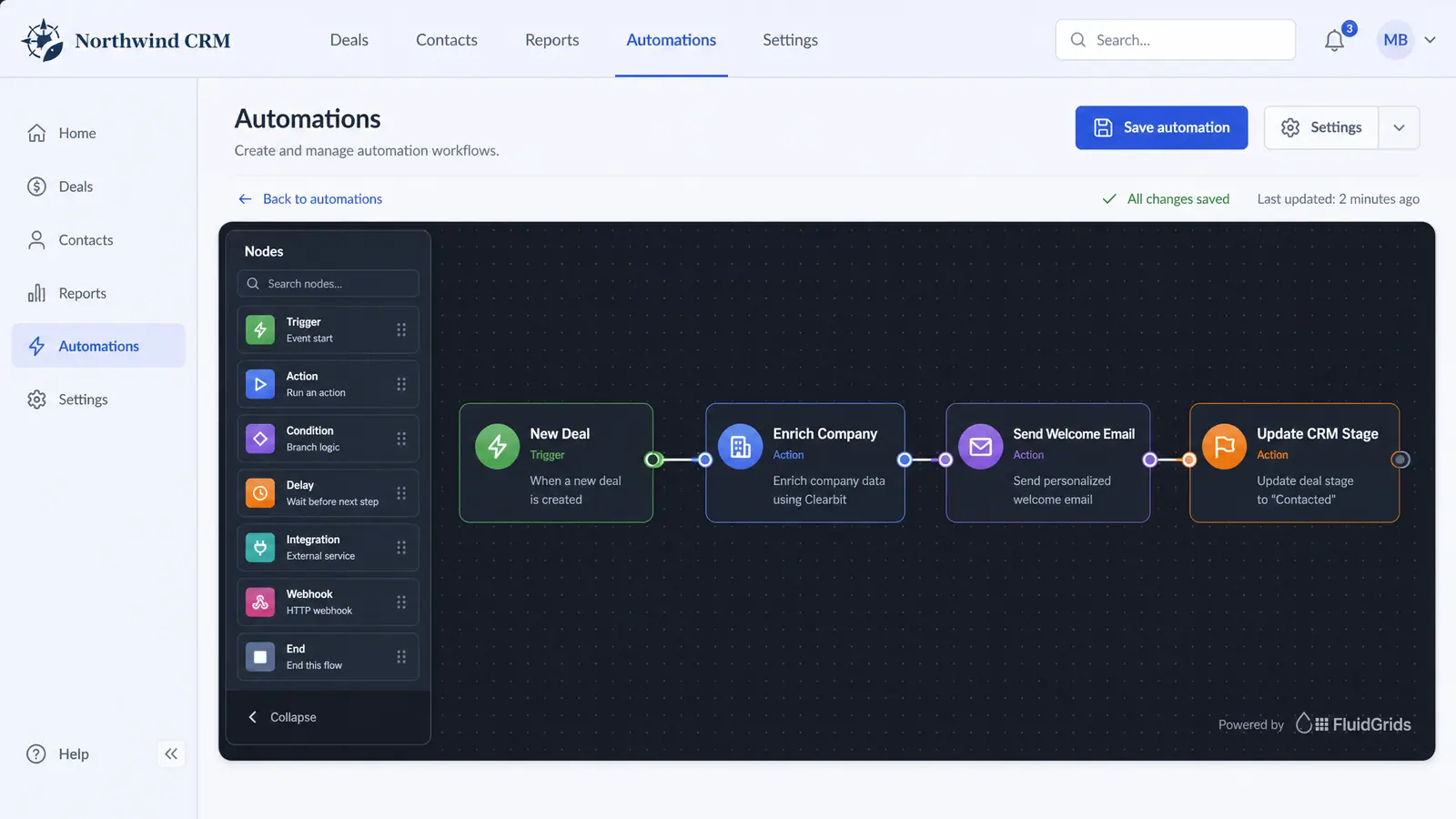
- Standalone Builder: A single drop-in component that mounts the full canvas (node palette, inline configuration, validation, and logs) using your workspace ID, auth token, and API endpoints.
- Headless Core & Shared Provider: Splits the data layer from the UI so multiple embedded components can share a single client.
- Full Routed Module: Mounts the complete workflow suite—builder, workflow list, run history, and settings—under any route in your application (like
/automations). - À-la-Carte Pages: Embed individual surfaces such as the template gallery, execution list, execution detail, or connection components.
 (opens in a new tab)
Illustration of the concept, not a screenshot of the actual product — Embedded White-Label Builder[3]
(opens in a new tab)
Illustration of the concept, not a screenshot of the actual product — Embedded White-Label Builder[3]
White-labeling is prop-driven with styling hooks, toggleable panels (such as hiding headers or sidebars), host callbacks for save and run events, and a view-only mode for live workflow tracking illustrated in the Embedded White-Label Builder concept[3]. Security and permissions remain host-governed: your application mints auth tokens, the SDK forwards them, and the platform API enforces workspace-level RBAC.
To plan your integration, explore the FluidGrids Embed SDK guide[2] or check the Embed in One Sprint use case[4].
Sources
The pages this answer was drawn from.
- AI-Powered Visual Workflow Automation Platform | FluidGridsfluidgrids.ai(opens in a new tab)
- The whole builder is a React component — FluidGrids Use Casesfluidgrids.ai(opens in a new tab)
- Embedded White-Label Builder — Concept | FluidGridsfluidgrids.ai(opens in a new tab)
- Embed Workflow Builder in One Sprint | FluidGrids Use Cases — FluidGrids Use Casesfluidgrids.ai(opens in a new tab)