
Can I describe an automation in plain English and have FluidGrids draft the workflow?
Yes, FluidGrids lets you describe automations in plain English and generates editable draft workflows directly from your prompt.
About this answer — Produced by our own assistant on 23 September 2026 from our published documentation. The pages it drew on are linked under the answer. It is generated text, not a statement from a person — where it and a linked page disagree, the page is right.
Answer
Yes, FluidGrids[1] lets you describe automations in plain English and generates editable draft workflows directly from your prompt.
As detailed in the AI-Authored Workflows and Nodes concept[2], the workflow generation process includes:
- Plain-Language Studio View: Type a natural-language description of what you want to achieve (such as capturing a payment, creating a CRM contact, and posting a summary to chat). The studio surfaces follow-up questions to clarify details, offers suggestion chips for error handling, and streams the workflow graph node by node against a live step counter.
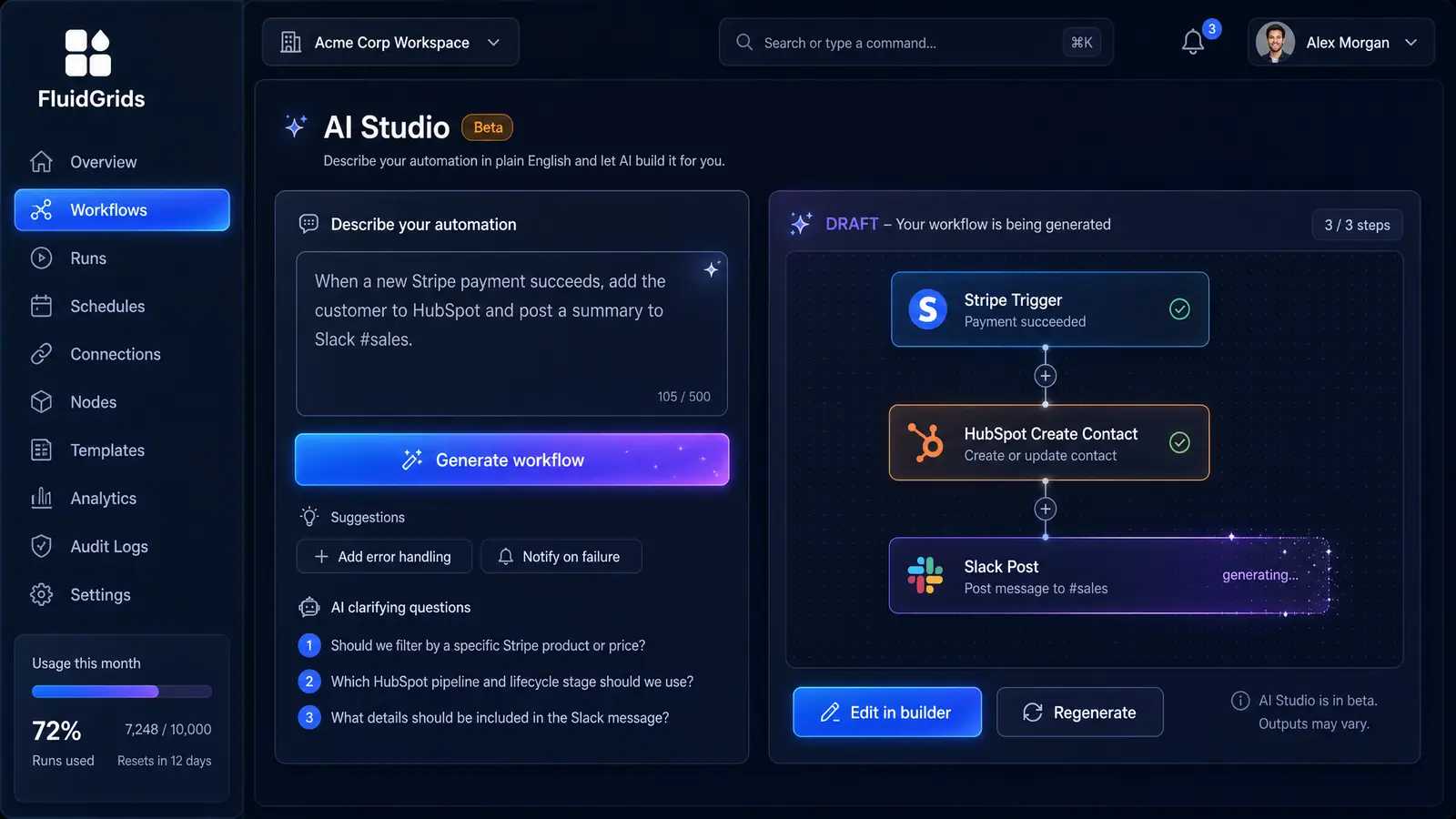 (opens in a new tab)
Illustration of the concept, not a screenshot of the actual product — AI-Authored Workflows and Nodes[2]
(opens in a new tab)
Illustration of the concept, not a screenshot of the actual product — AI-Authored Workflows and Nodes[2]
- In-Context Workflow Assistant: Docked alongside the workflow list, the assistant can scaffold new drafts in place, explain which node types it selected, and highlight which external accounts still need to be connected.
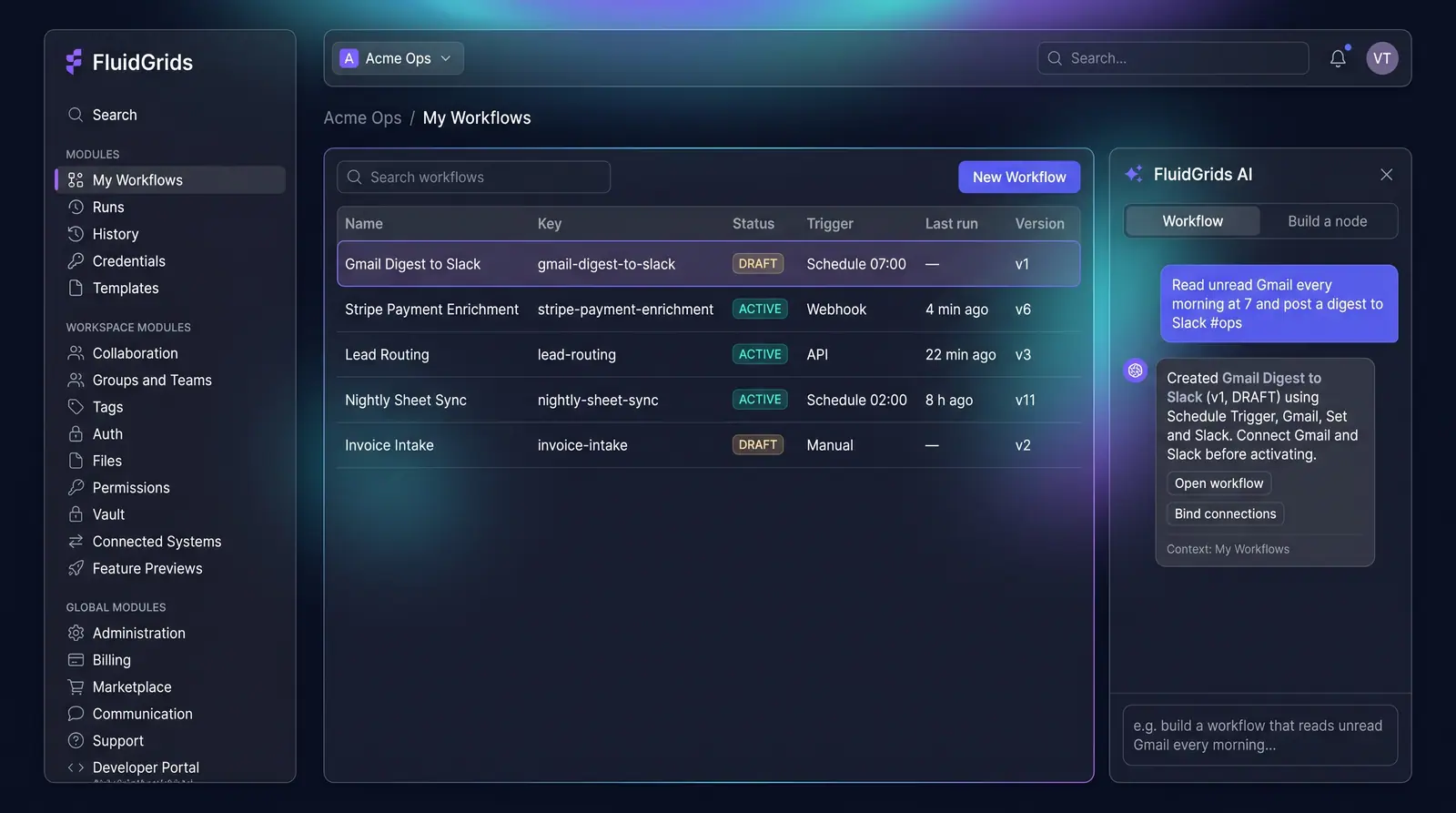 (opens in a new tab)
Illustration of the concept, not a screenshot of the actual product — AI-Authored Workflows and Nodes[2]
(opens in a new tab)
Illustration of the concept, not a screenshot of the actual product — AI-Authored Workflows and Nodes[2]
- Standard Lifecycle and Editing: Generated workflows land in your standard workspace with versioning and a draft status. You can open any generated draft in the visual builder for node configuration and data mapping, bind credentials, test the run, and activate it. The assistant also includes a node-building mode to scaffold custom connector packages when an unsupported service is requested.
To see how visual workflows and node scaffolding come together, explore the FluidGrids concept guides[3] or visit FluidGrids[1].
Sources
The pages this answer was drawn from.