
What is FluidGrids and who is it for?
FluidGrids is an AI-powered visual workflow automation platform designed to turn complex business logic into executable, observable automation pipelines.
About this answer — Produced by our own assistant on 23 September 2026 from our published documentation. The pages it drew on are linked under the answer. It is generated text, not a statement from a person — where it and a linked page disagree, the page is right.
Answer
FluidGrids[1] is an AI-powered visual workflow automation platform designed to turn complex business logic into executable, observable automation pipelines. Using a visual drag-and-drop builder, multi-language SDKs, and an AI node generator, users can build workflows, connect custom APIs, assemble AI agents, and run background tasks with per-node execution logs, error retries, and workspace-scoped credential security.
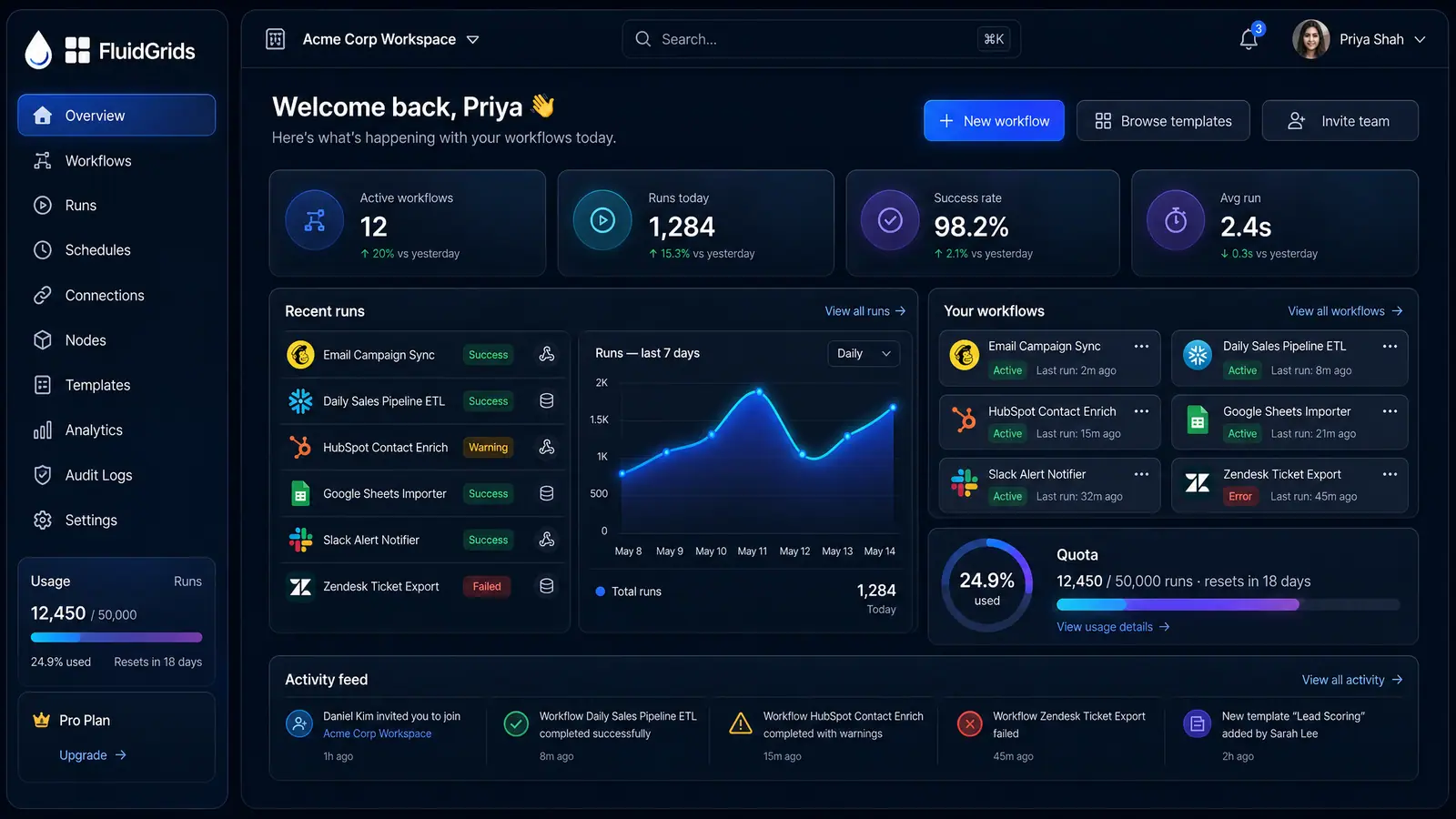
The platform provides a centralized command center to track pipeline health, execution metrics, and workspace assets, as shown in the Workspace Home and Command Search[2] concept.
 (opens in a new tab)
Illustration of the concept, not a screenshot of the actual product — Workspace Home and Command Search[2]
(opens in a new tab)
Illustration of the concept, not a screenshot of the actual product — Workspace Home and Command Search[2]
As highlighted across FluidGrids Use Cases[3], the platform is built for several key audiences:
- Operations & Business Leads: Replacing manual spreadsheets, emails, and fragile scripts with reliable automations for invoicing, order-to-cash pipelines, contract renewal reminders, and approval routing.
- Product & Engineering Teams: Embedding visual workflow builders, run monitors, and connector forms directly into SaaS applications via React SDKs, REST/GraphQL APIs, and CLI tooling.
- AI Engineers & Builders: Assembling modular AI agents, integrating LLM providers, and grounding workflows with vector retrieval without managing separate infrastructure.
- Agencies & Consultancies: Building master workflow templates and deploying isolated, parameterized copies across client workspaces with full version lineage.
- Makers & Small Teams: Automating everyday notifications, team alerts, and scheduled tasks.
To see real-world workflow examples, explore FluidGrids Use Cases[3], or visit FluidGrids Pricing[4] to find the right plan.
Sources
The pages this answer was drawn from.