
What happens when a workflow run fails halfway through, and can I retry just the failed step?
In FluidGrids, when a workflow run fails halfway through, execution halts at the broken step and downstream nodes are skipped.
About this answer — Produced by our own assistant on 23 September 2026 from our published documentation. The pages it drew on are linked under the answer. It is generated text, not a statement from a person — where it and a linked page disagree, the page is right.
Answer
In FluidGrids[1], when a workflow run fails halfway through, execution halts at the broken step and downstream nodes are skipped. All previously completed steps remain intact, preserving their exact inputs, outputs, and execution logs. FluidGrids classifies the failure against a 14-type error taxonomy (such as authentication, rate-limit, timeout, or validation errors) and attaches the error detail directly to the affected node.
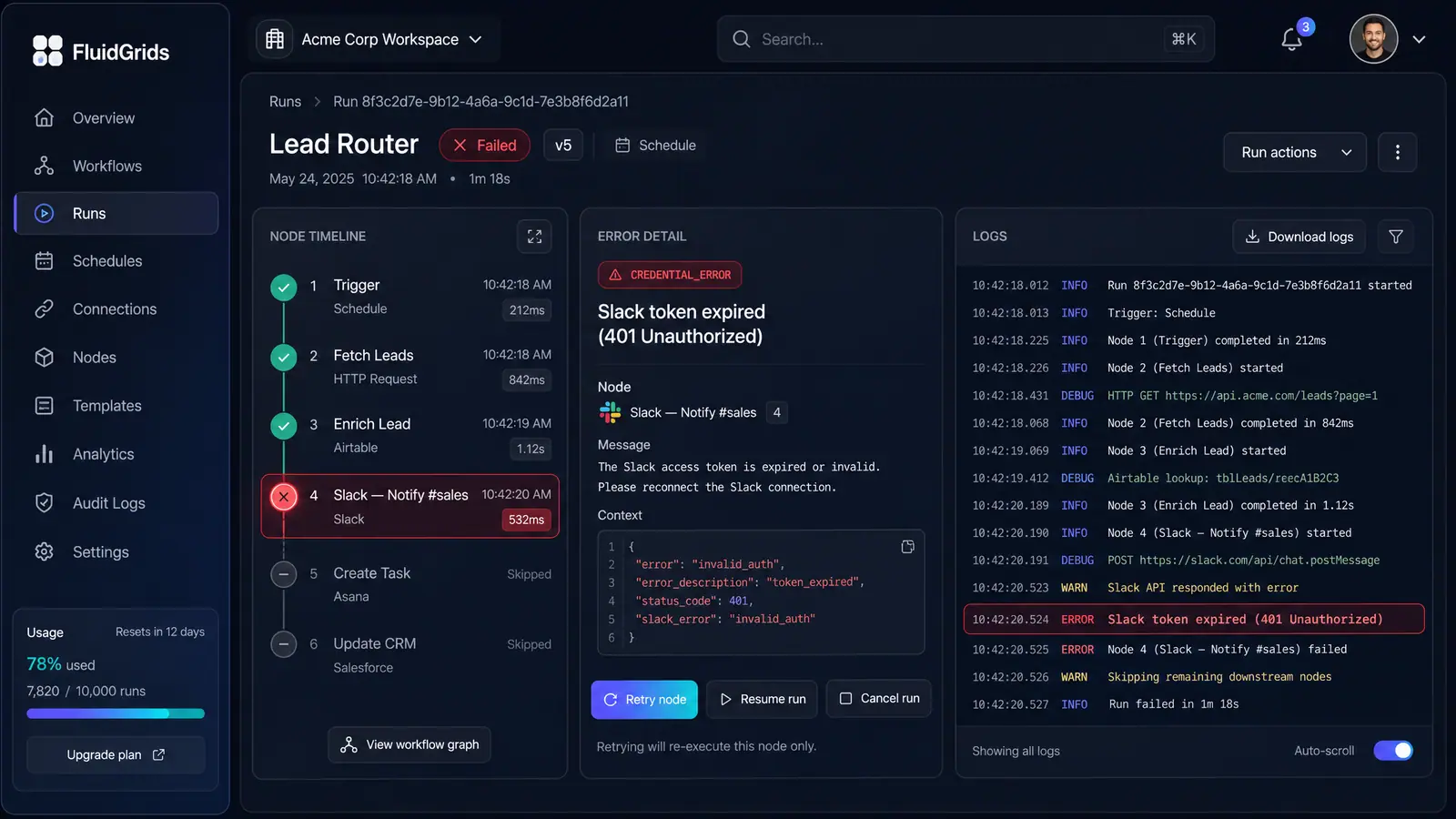
Yes, you can retry just the failed step. Rather than replaying the entire workflow from step 1, FluidGrids provides single-node surgical recovery (retryNode).
 (opens in a new tab)
Illustration of the concept, not a screenshot of the actual product — Run History, Inspection and Recovery[2]
(opens in a new tab)
Illustration of the concept, not a screenshot of the actual product — Run History, Inspection and Recovery[2]
Once you resolve the root cause—such as updating an expired connection credential or correcting a configuration—you can click Retry node in the run detail view. FluidGrids re-executes that single node using its original inputs and continues through the remaining downstream steps, preventing duplicate side effects from earlier actions.
To see this in action, explore the Retry Single Nodes in Error Triage use case[3] or inspect the visual workflow in Run History, Inspection and Recovery[2].
Sources
The pages this answer was drawn from.