
Where does FluidGrids keep my API keys, and how do I rotate one without editing every workflow?
In FluidGrids, third-party API keys and OAuth tokens are centralized in workspace connections, completely decoupled from workflow definitions
About this answer — Produced by our own assistant on 23 September 2026 from our published documentation. The pages it drew on are linked under the answer. It is generated text, not a statement from a person — where it and a linked page disagree, the page is right.
Answer
In FluidGrids[1], third-party API keys and OAuth tokens are centralized in workspace connections, completely decoupled from workflow definitions:
- Where keys are stored: When an admin configures a service connection in the workspace integrations area, secrets are encrypted at rest using AES-256-GCM (see FluidGrids Security[2]). Workflow canvas configurations and saved definitions store only connection references—raw secret material is never written to workflow files, logs, or node properties, and is decrypted only in worker memory at execution time.
- Rotating without workflow edits: Because every workflow node points to a shared connection reference rather than a hardcoded token, rotation happens in a single location. As detailed in the Credential Rotation Use Case[3], updating or replacing the API key on the workspace connection instantly applies to every workflow referencing that provider on its next run—with zero edits needed across your canvases.
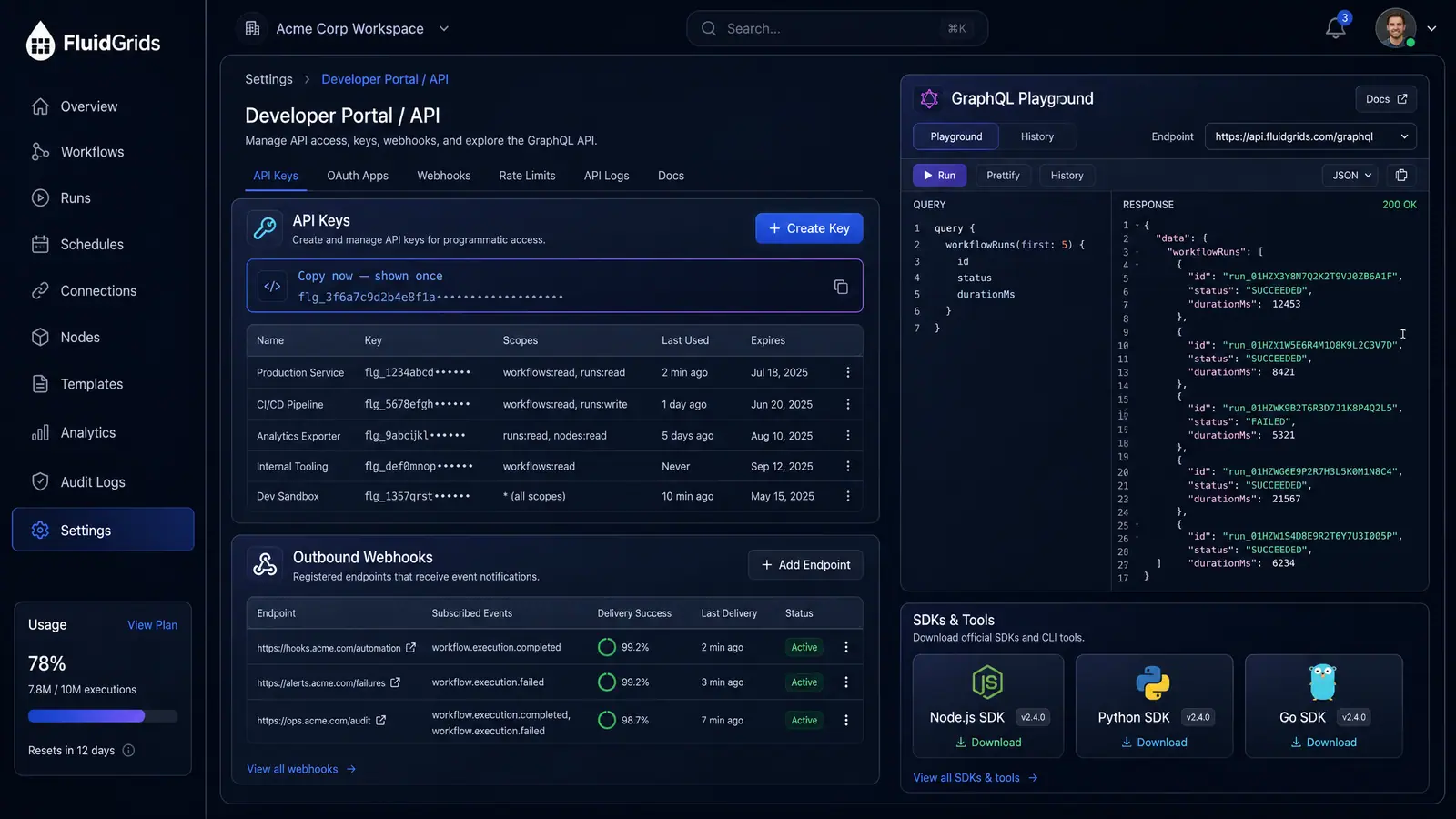
If you are instead looking to manage or rotate programmatic access keys for FluidGrids itself (such as for CI/CD pipelines or AI agents), those are configured with scoped permissions in the developer portal, covered under Developer API and MCP Agent Access[4].
 (opens in a new tab)
Illustration of the concept, not a screenshot of the actual product — Developer API and MCP Agent Access[4]
(opens in a new tab)
Illustration of the concept, not a screenshot of the actual product — Developer API and MCP Agent Access[4]
To see how connection management and credential adapters work across workflows, check out the FluidGrids Credential Rotation Use Case[3].
Sources
The pages this answer was drawn from.
- AI-Powered Visual Workflow Automation Platform | FluidGridsfluidgrids.ai(opens in a new tab)
- Security Overview | FluidGridsfluidgrids.ai(opens in a new tab)
- Credential Rotation for Slack | FluidGrids Use Cases — FluidGrids Use Casesfluidgrids.ai(opens in a new tab)
- Developer API and MCP Agent Access — Concept | FluidGridsfluidgrids.ai(opens in a new tab)